
How to Display Allergen Information on a QR Menu: A Guide for Restaurants
When customers look at a restaurant menu, their decision is not based only on price, product photos, or the name of a dish. For customers with allergies or sensitivities to gluten, dairy, eggs, nuts, or other ingredients, understanding what a product contains can be much more important.
Keeping this information organized and up to date can be difficult with printed menus. Digital QR menus give restaurants greater flexibility because product information can be updated when necessary and presented to customers in a more structured and accessible way.
The goal is not simply to add a few allergen icons next to menu items. A clear information architecture is equally important.
Why Is Allergen Information Important on a QR Menu?
Customers generally want to make their decisions quickly after opening a menu. However, the process can be very different for someone with a food allergy or sensitivity.
They may need to ask restaurant staff several questions before deciding whether a particular dish is suitable for them.
Displaying relevant product information clearly within a digital menu can help customers review available options more easily. It can also help restaurants manage product information in a more structured way.
For this reason, allergen information should be considered part of the overall digital menu experience rather than an additional detail added later.
How Can Allergen Information Be Displayed?
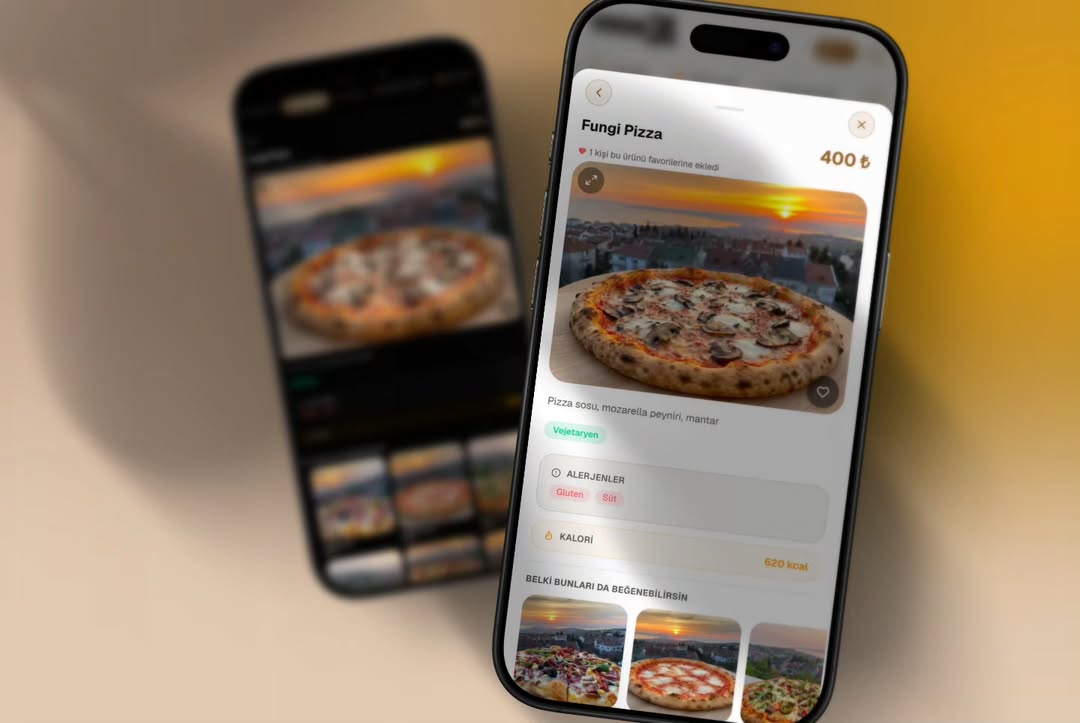
One practical approach is to use recognizable icons together with short explanations on product cards or product detail pages.
For example:
Fettuccine Alfredo
Cream, Parmesan cheese, mushrooms, and house sauce.
🌾 Gluten
🥛 Dairy
🥚 Egg
However, customers should not be expected to guess what every icon means.
A separate Allergen Information section or legend can make the information easier to understand.
For example:
🌾 Contains gluten
🥛 Contains dairy
🥚 Contains egg
🥜 May contain peanuts
This way, customers do not have to rely only on symbols to understand the information.
Separate Product Descriptions from Allergen Information
A common mistake in digital menus is placing every piece of information inside the main product description.
For example:
Chicken, cream, mushrooms, Parmesan, spices, contains gluten, contains dairy...
This approach can quickly reduce readability, especially on mobile devices.
A better structure is:
Product name → Short description → Price → Allergen information → Additional product attributes
This structure helps customers find the information they need without scanning through long paragraphs.
For a broader look at menu usability and mobile experience, customers can also explore our QR Menu UX Guide.
Internal link: ID14 — QR Menu UX Guide
Can Customers Filter Menu Items?
As the number of menu items increases, displaying icons alone may not provide the most convenient experience.
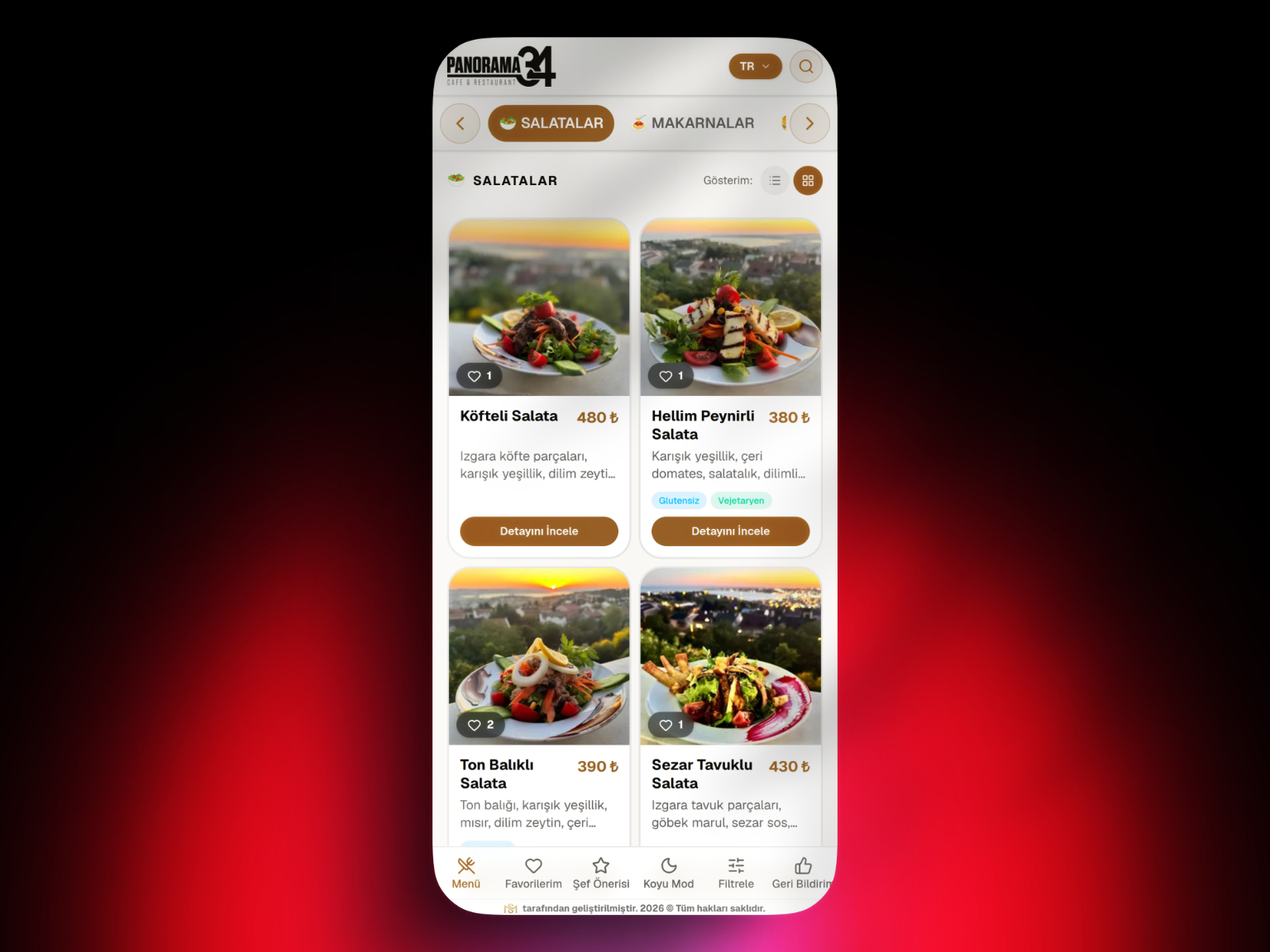
A digital menu system may allow customers to filter products using options such as:
Gluten-free
Vegetarian
Vegan
Dairy-free
However, there is an important distinction between allergen information and dietary preferences or product characteristics.
For example, “vegan” describes a dietary characteristic, while “contains nuts” communicates allergen-related information.
Keeping these categories separate in the interface can create a clearer and more understandable menu experience.
Why Does a Digital Menu Have an Advantage Over a Printed Menu?
One of the main advantages of digital menus when managing ingredient and allergen information is the ability to update information quickly.
If a recipe changes, a printed menu may require a new print run. With a managed digital menu system, the relevant product record can be updated and the revised information can then be presented to customers.
To understand the differences between managed digital menu platforms, PDF menus, and static web menus, see our What Is a Digital Menu System? guide.
Internal link: ID12 — What Is a Digital Menu System?
This is also why the management interface behind the menu matters.
Allergen information is easier to maintain when restaurants can update relevant data at product level instead of manually editing static menu files.
Allergen Information in Multilingual Menus
This issue becomes even more important for restaurants serving international customers.
Translating only product names and categories may not be enough. Ingredient descriptions and allergen-related information should also be presented in a language customers can understand.
In a well-structured digital menu system, allergen information can be managed as part of the product data and displayed appropriately across supported languages.
This can help customers using different languages access more consistent information about the same menu item.
Why Is Keeping Allergen Information Up to Date Critical?
Using a digital menu does not automatically make the information accurate.
For example, if the ingredients in a sauce change but the digital menu is not updated, customers may still see outdated information.
Restaurants therefore need a clear operational process:
Recipe change → Product information review → Allergen information update → Digital menu publication
Information displayed on the digital menu should also remain consistent with the information communicated by restaurant staff.
The technology makes updating information easier, but the restaurant still needs a reliable process for keeping that information accurate.
Where Should Allergen Information Appear in a QR Menu?
Providing allergen information is only useful when customers can easily find it.
Information hidden at the bottom of a long product description may technically be available but still provide a poor user experience.
On a mobile QR menu, a practical approach is to display allergen information close to the product name, price, and primary description while keeping the interface easy to scan.
Customers should also be able to access explanations for allergen icons without navigating through several screens.
Allergen Information Checklist for Restaurants
When building a QR menu, product information should be reviewed from both a visual and data-management perspective.
Restaurants should check whether ingredient information is current, allergens are correctly associated with products, icons are clearly explained, translations remain consistent, information is readable on mobile devices, and menu data is reviewed whenever recipes change.
This becomes especially important for businesses managing large menus or multiple locations, where centralized digital menu management can simplify ongoing updates.
Building a More Manageable Menu with QR AppMenu
The purpose of a managed digital menu system such as QR AppMenu is not simply to reproduce a printed menu on a smartphone screen.
Managing categories, product descriptions, prices, and other menu information digitally can make it easier for businesses to keep their menus aligned with changing operational needs.
To learn more about how QR menus work, read our What Is a QR Menu and How Does It Work? guide.
For a broader overview of planning and managing a QR menu project, see our QR Menu Guide for Cafés and Restaurants.
Internal links: ID7 + ID11
Conclusion
Displaying allergen information on a digital menu involves more than adding a few symbols next to menu items.
The information needs to be associated with the correct products, presented clearly, remain readable on mobile devices, and be updated whenever ingredients or recipes change.
A well-structured QR menu can make this information easier to manage and easier for customers to find. However, using a digital system does not remove the restaurant's responsibility to maintain accurate product information.
The objective should not simply be to display more information, but to help customers find the right information more easily.
Frequently Asked Questions
Can allergen information be displayed on a QR menu?
Are allergen icons enough on their own?
Should allergen information be included in the product description?
Can customers filter gluten-free or vegan items on a QR menu?
Should allergen information be updated when a recipe changes?
Can allergen information be provided in multiple languages?
Related Posts