
QR Menu UX Guide: 10 Ways to Improve the Restaurant Customer Experience
A QR menu does not improve customer experience simply because it is digital. If it loads slowly, uses confusing categories, hides prices, or makes products difficult to find, scanning a QR code can create more friction instead of less.
This guide does not repeat the definition or setup process. It focuses specifically on mobile menu user experience (UX).
1. The Menu Should Open Quickly
After scanning the QR code, guests expect the menu to appear quickly. Large unoptimized images, unnecessary scripts, or slow server responses can damage the first interaction.
2. Categories Should Match How Guests Think
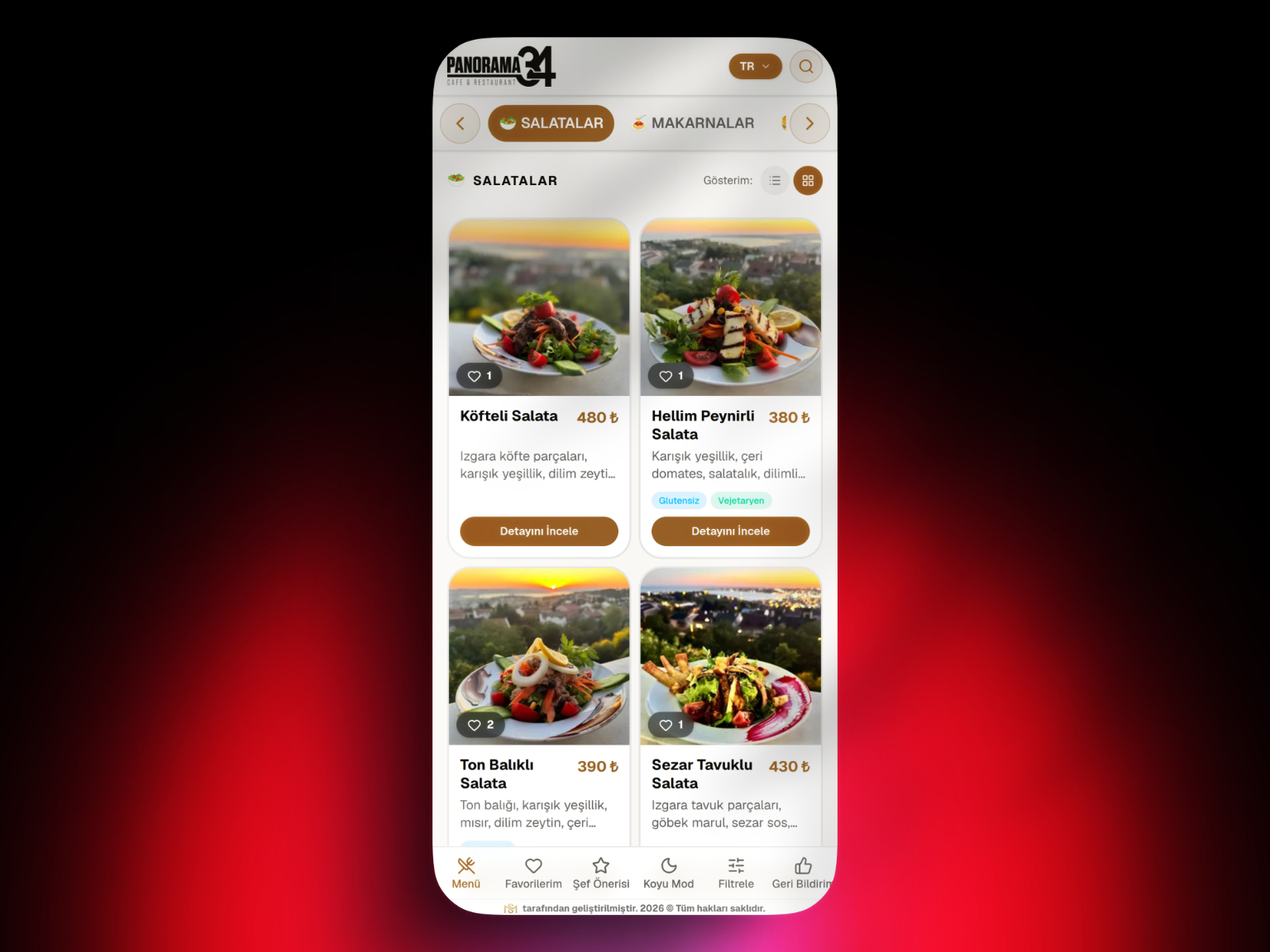
Category names should reflect how customers look for products rather than internal restaurant terminology. Clear labels such as Breakfast, Burgers, Desserts, Hot Drinks, and Cold Drinks are easier to understand.
For implementation details, see our 7-Step QR Menu Setup Guide.
3. Product Names Should Be Clear
Guests should understand what they are ordering. Creative brand names can work, but unfamiliar names should be supported by a short explanation.
4. Descriptions Should Help the Decision
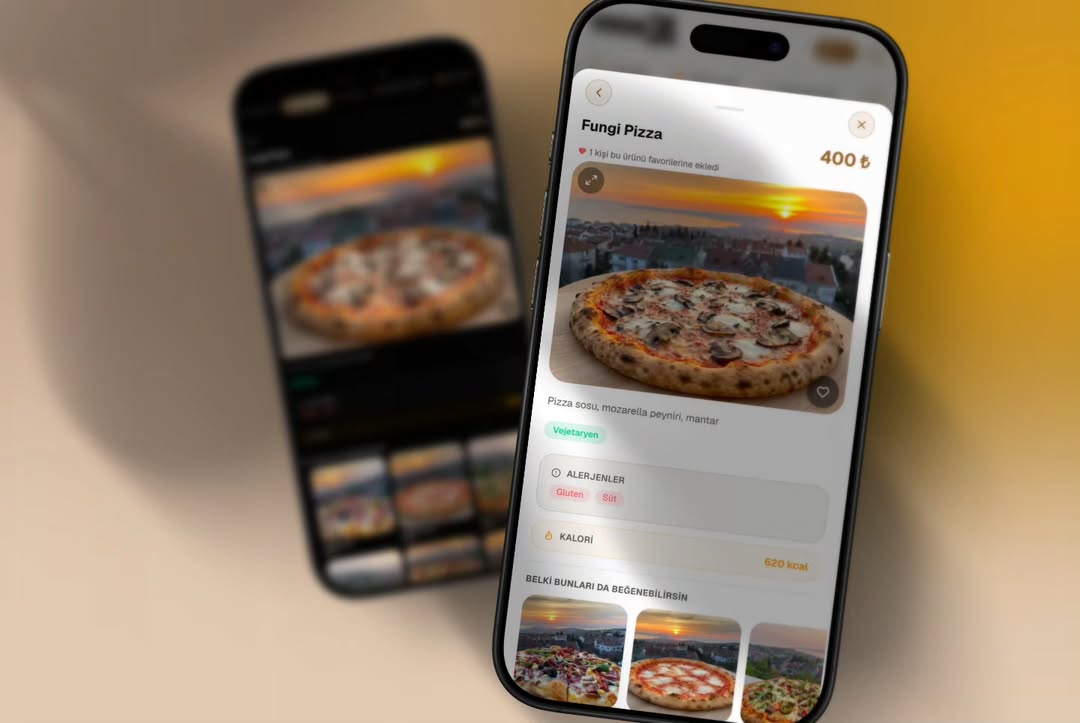
Instead of long marketing copy, show the information that actually affects choice: key ingredients, preparation style, portion details, sauces, and relevant allergens.
5. Photos Should Represent the Real Product
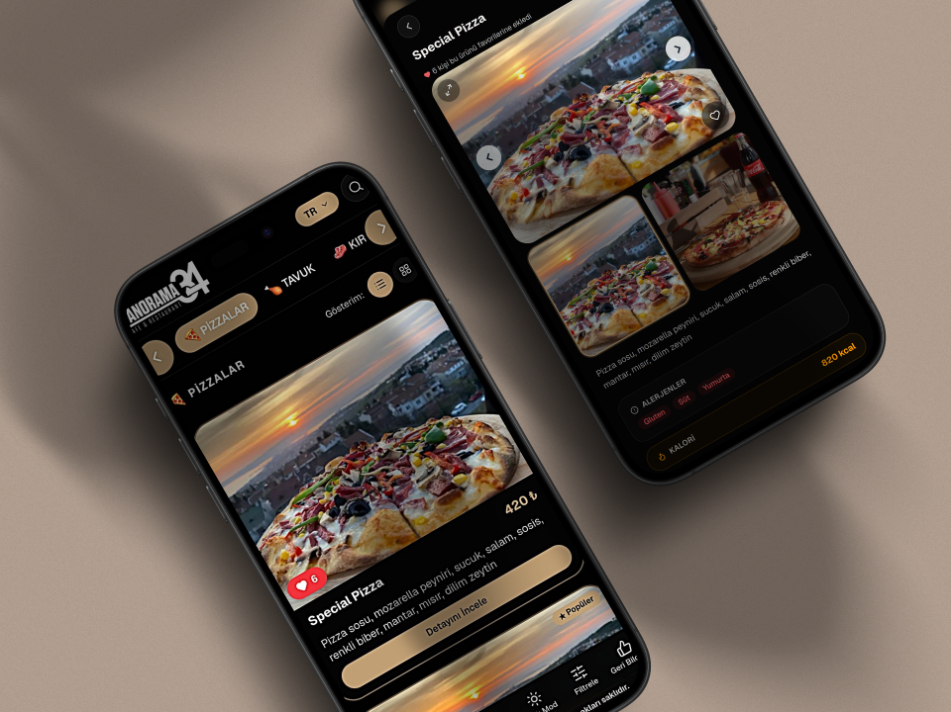
Product photography should match what is served. Images should also be optimized so that they do not slow down the mobile menu.
6. Prices Should Be Easy to Find
Guests should not have to search for the price after seeing the product name. Use a consistent price hierarchy and clearly show size or option differences.
7. Allergens and Dietary Information Should Be Visible
Allergen, vegan, vegetarian, gluten-free, and similar information should not be buried in long descriptions. Structured labels can make it easier to find.
8. Language Switching Should Be Simple
In tourist locations, guests should be able to find the language selector quickly. Product names and descriptions should be translated consistently, not only the interface.
9. Reduce Decision Fatigue
Long, unstructured product lists can make choosing difficult. Group similar products logically and highlight selected items carefully.
For product visibility based on popularity and profitability, see our Menu Engineering Guide.
10. QR Should Not Be the Only Possible Path for Every Guest
Some guests may not have a suitable phone, may experience connectivity problems, or may simply prefer a physical menu. Keeping a few printed menus can improve accessibility.
See our QR Menu vs. Printed Menu comparison for the trade-offs.
QR Menu UX Checklist
- Does the QR code scan on the first attempt?
- Does the first screen load quickly?
- Are categories immediately understandable?
- Can guests see the product name and price together?
- Is text readable on a phone?
- Do images slow down the menu?
- Is allergen information easy to find?
- Is language switching clear?
- Is navigation between categories easy?
- Is there an alternative menu option when needed?
How Can QR Menu Experience Be Measured?
If the platform supports it, anonymous signals such as load time, category views, product views, or language usage can help identify areas for improvement. Focus on metrics the business can actually act on.
Common QR Menu UX Mistakes
- Printing the QR code too small
- Opening a heavy PDF
- Requiring horizontal scrolling
- Using too many categories
- Making prices difficult to see
- Using low-quality or oversized images
- Leaving translations incomplete
- Hiding allergen information
- Requiring unnecessary registration or app installation
How Does UX Relate to Choosing a Digital Menu System?
Good UX is not only a design issue. The platform also needs to load quickly, structure product information well, and generate a mobile-friendly menu.
For platform selection criteria, see What Is a Digital Menu System?.
Conclusion
A successful QR menu experience is the result of many small decisions: speed, clear categories, readable content, accurate product information, and accessibility.
For the broader topic of QR menu features, costs, and business use cases, return to our complete QR Menu Guide.
Frequently Asked Questions
How does a QR menu affect customer experience?
What are the most important QR menu UX elements?
Are product photos necessary in a QR menu?
How many categories should a QR menu have?
Is it useful to keep printed menus as a backup?
How can QR menu performance be measured?
Related Posts